> For the complete documentation index, see [llms.txt](https://gca-2.gitbook.io/ac-learning-platform-user-guidebook/llms.txt). Markdown versions of documentation pages are available by appending `.md` to page URLs; this page is available as [Markdown](https://gca-2.gitbook.io/ac-learning-platform-user-guidebook/course-instructors/how-to-access-courses-that-you-manage.md).
# How to access courses that you manage
The following instructions and associated snapshots will guide you as to how to access courses that you manage on the learning portal.
{% hint style="info" %}
Remember to ask your course administrator when you need further assistance.
{% endhint %}
**To access courses that you manage:**
* Open your internet browser and navigate to the learning portal website address
* Click the **SIGN IN** button at the top-right corner
* On the pop-up window, write your *Username* and *Password*
* Click **SIGN IN**
* You will land on *Home Page*
* Click **User Menu** *icon,* locate and click **Manage Your Courses**
* On the new window tab, you will land on *Course Management Page,* this page lists all courses that you manage

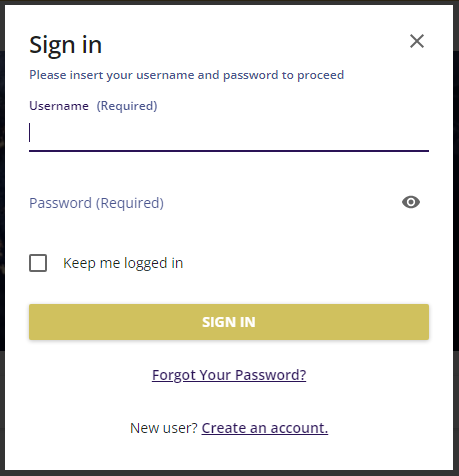 * Click **SIGN IN**
* You will land on *Home Page*
* Click **User Menu** *icon,* locate and click **Manage Your Courses**
